

WCAG-Compliant Website Development
Please leave your information and our team will contact you shortly!
"*" indicates required fields
Accessibility is embedded into our process from day one. We plan every project to meet high accessibility standards, identifying and removing potential barriers before they become issues.
From high-contrast, readable designs and intuitive navigation to scalable layouts, alt text, captions, and fully accessible interactive elements, we ensure usability for all.
Our developers follow best practices in semantic HTML, ARIA implementation, and clean coding, with rigorous testing at every stage. We also support you beyond launch, providing guidance on accessibility terminology, recommending tools such as Recite Me where appropriate, and delivering ongoing monitoring, updates, and training to keep your website compliant and inclusive as standards evolve.
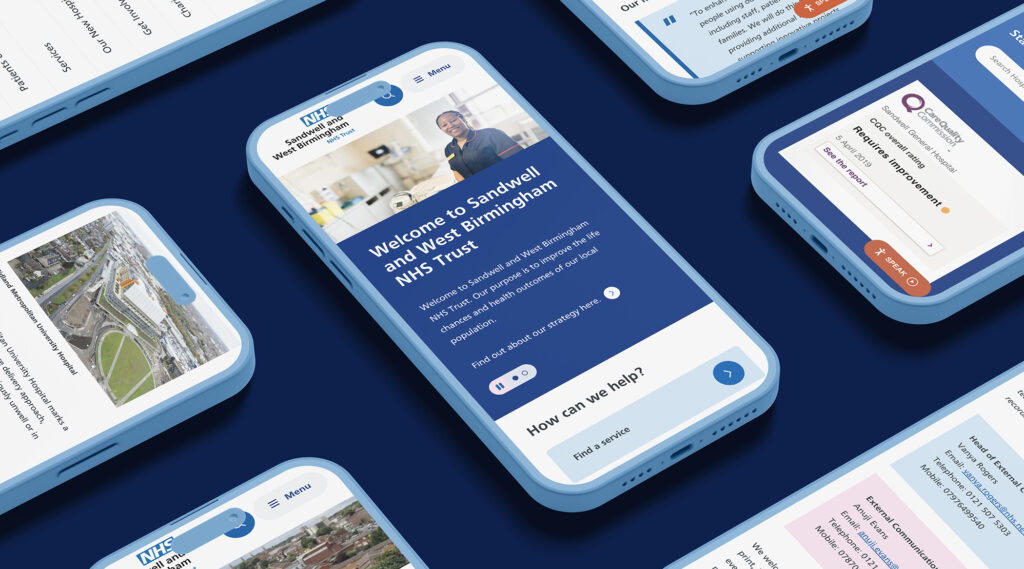
Accessibility addresses various disabilities, including:
- Auditory: Supporting users with hearing impairments.
- Cognitive and Neurological: Catering to individuals with learning difficulties, ADHD, or epilepsy.
- Physical: Assisting users with mobility impairments.
- Speech: Supporting users with speech disabilities.
- Visual: Enabling users with vision impairments, including color blindness.
Legal Compliance
Many industries must meet accessibility requirements to adhere to laws and regulations, such as the Equality Act 2010 in the UK and the Americans with Disabilities Act (ADA) in the US.
Broader Audience
Accessible websites cater to a wider audience, including people with disabilities, older users, and those using assistive technologies or mobile devices.
Enhanced User Experience
Accessibility features improve navigation and usability for all visitors, ensuring a seamless experience regardless of circumstances.
Improved SEO
Accessibility and SEO share best practices, such as descriptive alt text and structured content, boosting your site’s visibility in search engines.
Our Compliance Standards
We develop all projects to meet the required accessibility standards, ensuring your business stays ahead of legal requirements like the Equality Act 2010 and the European Accessibility Act (EAA). Our process follows the POUR principles, utilising WAI-ARIA best practices and rigorous Screen Reader testing to ensure a truly inclusive digital experience.
Featured Case Study
 Read case study
 Testimonials
Don’t just take our word for it
 See our 65+ Google Reviews





WCAG Accessible Websites
Frequently asked questions
What is the difference between WCAG 2.1 and 2.2?
Both guidelines sit under the Web Content Accessibility Guidelines framework, which sets international standards for digital accessibility.
WCAG 2.1 introduced additional criteria focused on:
- Mobile usability
- Touch interactions
- Users with low vision
- Cognitive accessibility
WCAG 2.2 builds on 2.1 (it doesn’t replace it) and adds further success criteria aimed at:
- Improving keyboard navigation
- Making focus indicators clearer
- Supporting users with cognitive and learning disabilities
- Reducing errors in forms
In simple terms, WCAG 2.2 strengthens and refines WCAG 2.1. If a site meets WCAG 2.2 AA, it also meets WCAG 2.1 AA.
At Platform81, we develop to the most current recommended AA standard wherever possible to future-proof your website.
Is WCAG compliance a legal requirement for UK businesses?
In the UK, accessibility obligations are primarily enforced under the Equality Act 2010.
Under this legislation, businesses and organisations must make “reasonable adjustments” to ensure disabled users are not placed at a disadvantage. For many organisations, this includes making their websites accessible.
Additionally, public sector bodies must comply with the Public Sector Bodies Accessibility Regulations 2018, which explicitly require WCAG 2.1 AA compliance and a published Accessibility Statement.
Private sector businesses are not legally required to be WCAG compliant, but they are legally required to ensure their services are accessible in practice.
Beyond legal compliance, accessibility:
- Expands your potential audience
- Improves SEO and usability
- Reduces reputational and legal risk
We always recommend designing with accessibility in mind from day one rather than retrofitting it later.
How do you test for website accessibility?
We take a layered approach that combines automated testing with manual expert review.
Our testing typically includes:
1. Automated scanning tools
Lighthouse
WAVE
Accessibility browser extensions
These help identify common issues such as missing alt text, contrast failures, and structural errors.
2. Manual testing
Keyboard-only navigation checks
Screen reader testing
Focus state and tab order validation
Form error handling and validation checks
3. Design & UX review
Colour contrast ratios
Heading hierarchy
Link clarity
Button labelling
Interactive element behaviour
Because automated tools only catch a percentage of real-world issues, manual validation is critical. Our development and QA processes (aligned with our ISO 9001 quality management framework) ensure accessibility checks are embedded into design, build and pre-launch stages, not treated as an afterthought.
How do you ensure my site remains compliant after new content is uploaded?
We support compliance long-term through:
Flexible, structured CMS builds
Our bespoke WordPress builds use structured content blocks that help prevent accessibility mistakes at content level.
Editor guidance
We provide clear instructions on:
Writing accessible alt text
Structuring headings correctly
Avoiding colour-only messaging
Creating accessible PDFs and downloads
Support & maintenance packages
Through our ongoing support agreements, we can:
Review new page templates
Conduct periodic accessibility audits
Monitor plugin updates for compliance impact
Do you offer accessibility training for my internal team as part of the project?
As part of our handover process, we can provide:
CMS training with accessibility best practice built in
Content editor guidelines
Practical examples of compliant vs non-compliant content
Ongoing support via our account management team
If accessibility is business-critical (e.g. public sector, healthcare, education), we can structure a more formal training session tailored to your internal teams, including marketing, content and compliance stakeholders.
Related Projects
Read case study Read case study Read case study
Social Responsibility
An accessible website demonstrates your commitment to inclusivity and equal opportunity, enhancing your brand reputation.